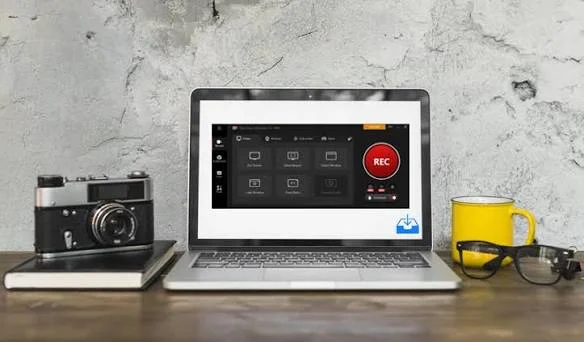
iTop Screen Recorder is hands down one of the most capable free recording tools available for Windows PC in 2026, giving users the power to capture their screen, webcam, and audio simultaneously without spending a single penny.
While dozens of screen recorders flood the market with false promises, iTop delivers where it truly counts — clean recordings, zero lag, and no frustrating limitations hidden behind a paywall.
Why iTop Screen Recorder Stands Out?
The screen recording software market is crowded, but iTop Screen Recorder carves its own lane through a combination of simplicity and depth.
Beginners can start recording within seconds of installation while advanced users unlock a rich layer of customization including resolution control, audio source selection, frame rate adjustment, and scheduled recording — all within the same free package.
Record Everything Without Compromise
iTop Screen Recorder captures your full display, a specific application window, or a manually drawn custom region with equal sharpness.
What makes it genuinely impressive is its ability to record system audio and microphone input at the same time without one bleeding into the other.
Add a live webcam overlay on top and you have a complete recording setup that rivals expensive professional software.
Game Recording That Keeps Up With You
Gamers demand more from a screen recorder than anyone else and iTop Screen Recorder delivers. Powered by GPU hardware acceleration from NVIDIA, AMD, and Intel, it records gameplay at 4K resolution and up to 120fps without introducing a single frame drop or slowdown.
A dedicated Game Mode automatically optimizes system resources during recording so your in-game performance remains completely unaffected.
AI-Powered Audio That Sounds Professional
Audio is where many free recorders quietly fail. iTop Screen Recorder includes an AI noise reducer that automatically strips out keyboard clicks, fan hum, and room echo from your microphone feed in real time.
A built-in voice changer adds creative audio filters for content creators, while the Text to Speech feature converts written scripts into natural voiceovers across 50 different voices and multiple languages saving hours of re-recording time.
Scheduled and Automatic Recording
One feature that genuinely separates iTop Screen Recorder from the competition is its task scheduler.
Set a recording to begin and end at a specific time and the software handles everything automatically — perfect for capturing live events, scheduled webinars, or limited-time online content even when you are not sitting at your desk.
Edit, Polish, and Export in One Place
The built-in video editor trims unnecessary footage, merges multiple clips, adds text overlays, inserts background music, and applies color filters before export.
Finished videos save in over 13 formats including MP4, AVI, MKV, MOV, and GIF — ready for YouTube, client presentations, or social media without any additional editing software required.
Frequently Asked Questions
Is iTop Screen Recorder free to use?
Yes, all core features are completely free with no time limits or session caps on recordings.
Does it leave a watermark on videos?
The free version includes a default watermark. Upgrading to Pro removes it entirely and unlocks maximum quality settings.
Can it record streaming platforms like Netflix?
Yes. The Enhanced Mode bypasses the black screen issue that typically prevents recording on DRM-protected streaming services.
Does iTop Screen Recorder support dual monitor setups?
Absolutely. You can select any specific monitor to record independently when using multiple displays.
Is it safe to download and install?
Yes, iTop Screen Recorder is fully malware-free and does not collect, store, or share any personal user data.
